Key Takeaways
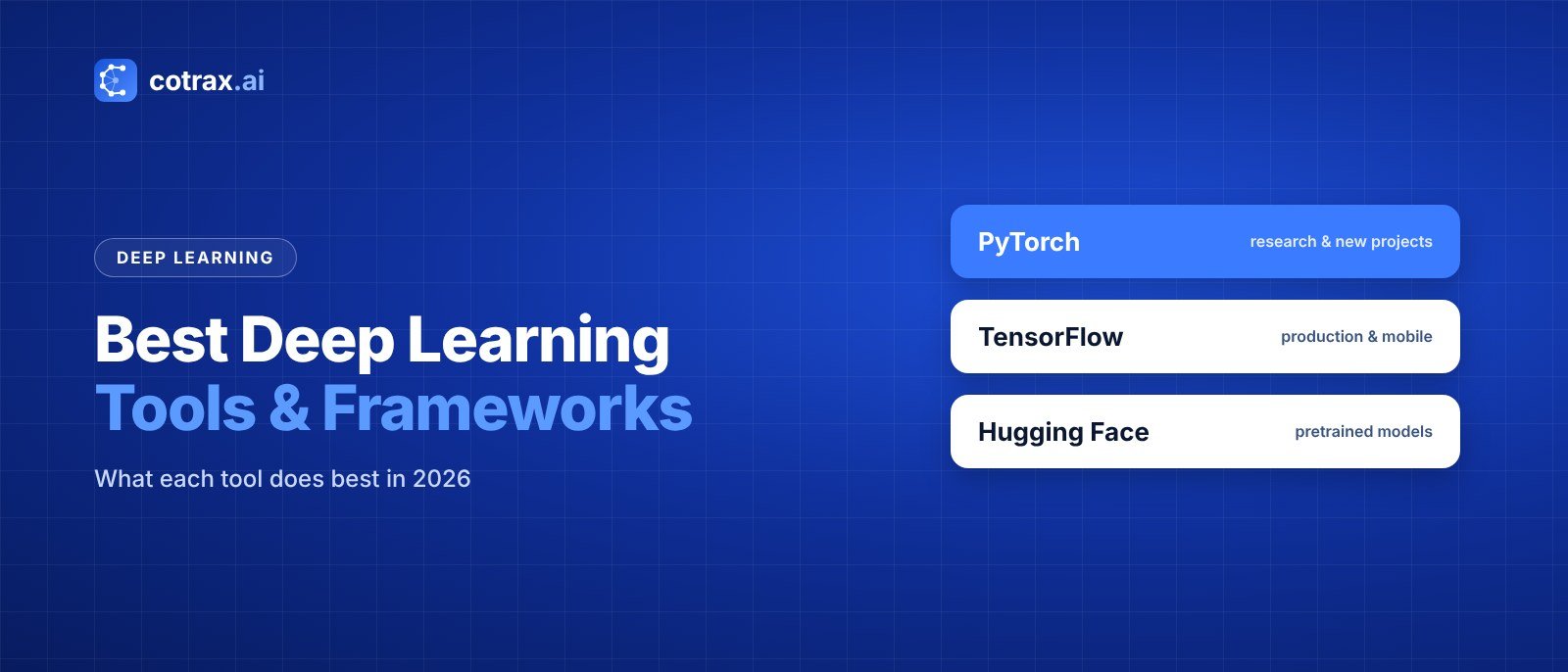
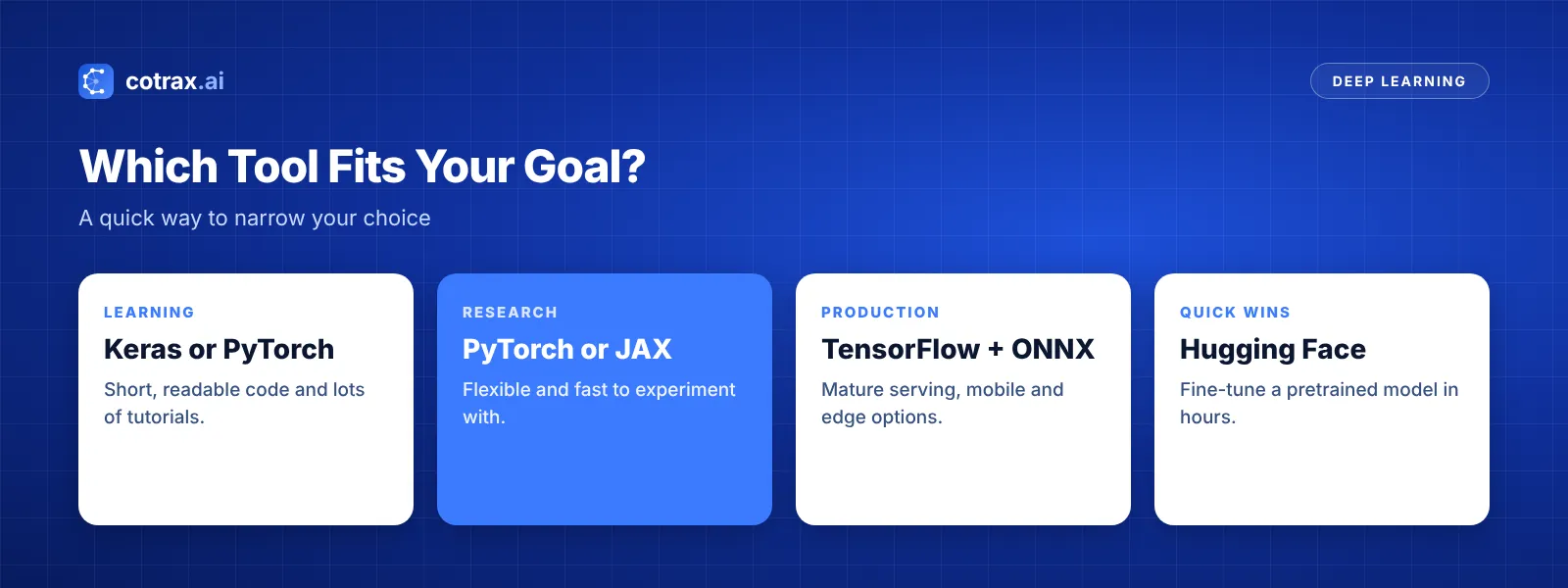
- PyTorch is the most popular framework for research and new projects.
- TensorFlow and Keras remain strong for production and mobile deployment.
- Hugging Face gives you thousands of pretrained models, so you rarely start from zero.
- Support tools like Jupyter, Colab, Weights & Biases and ONNX make training and shipping easier.
- Pick tools based on your goal, your team’s skills and where the model will run.
Picking the right deep learning tools can save you weeks. The wrong pick, on the other hand, means fighting your software instead of building your model. And with so many frameworks, libraries and platforms out there, it’s easy to feel lost.
The good news is that you don’t need every tool. Most projects use one framework, one place to write code, and a couple of helpers for tracking and shipping models.
In this guide, the cotrax.ai team breaks down the 12 best options in 2026. You will see what each one does best, who it suits, and how to choose the right mix for your project.
What Are Deep Learning Tools?
Deep learning tools are software frameworks, libraries and platforms that help you build, train, test and deploy neural networks. They handle the hard math, such as gradients and GPU speed-ups, so you can focus on your data and your model design instead of low-level code.
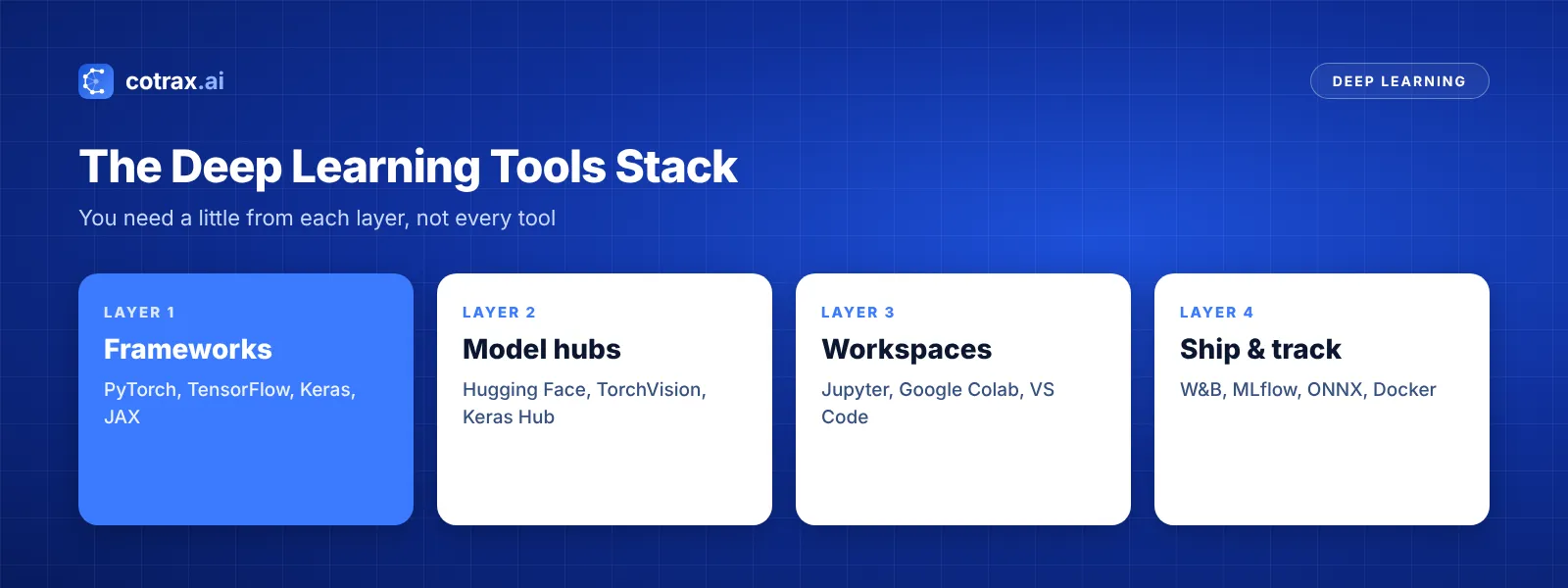
In general, these tools fall into a few groups. First, there are frameworks like PyTorch and TensorFlow. Then come model hubs, coding workspaces, and finally tools for tracking and deployment. New to the field? Start with our guide on what deep learning is.
Quick Comparison of the Best Deep Learning Tools
First, here is a fast overview. After that, we look at each one in detail.
| Tool | Type | Best for |
|---|---|---|
| PyTorch | Framework | Research and new projects |
| TensorFlow | Framework | Production and mobile |
| Keras | High-level API | Beginners and fast prototypes |
| JAX | Framework | High-speed research |
| Hugging Face Transformers | Model library | Pretrained language and vision models |
| PyTorch Lightning | Training wrapper | Clean, scalable training code |
| fastai | High-level library | Quick, strong results |
| ONNX Runtime | Inference engine | Running models anywhere |
| NVIDIA TensorRT | Inference optimizer | Fast GPU inference |
| Weights & Biases | Experiment tracking | Logging and comparing runs |
| Google Colab | Cloud notebook | Free GPU access |
| Jupyter | Notebook | Interactive coding |
Core Deep Learning Frameworks
Frameworks are the heart of any project. So this is the most important choice you will make.
1. PyTorch
PyTorch is the most widely used framework for research and new work. Also, it feels like normal Python, which makes debugging easy. In addition, most new papers and tutorials share PyTorch code first.
Overall, it’s best for research, custom models and anyone who wants flexibility.
2. TensorFlow
TensorFlow, built by Google, is known for strong production tools. For example, TensorFlow Lite runs models on phones, and TensorFlow Serving handles large-scale deployment.
So it’s best for teams that ship models to mobile, web or large production systems.
3. Keras
This high-level API keeps your code short and clear. Keras 3 can run on top of TensorFlow, JAX or PyTorch. As a result, you can switch backends without rewriting your model.
Because of that, it’s best for beginners and quick prototypes.
4. JAX
JAX, also from Google, pairs NumPy-style code with very fast compiling. As a result, it is popular in advanced research, especially for large models. However, it has a steeper learning curve than PyTorch.
In short, it’s best for experienced researchers who need top speed.
Not sure which framework fits your team?
Tell the cotrax team about your project, and we’ll suggest a simple, practical stack.
Model Libraries and Training Helpers
Once you pick a framework, these tools help you move much faster.
5. Hugging Face Transformers
Hugging Face Transformers gives you access to a huge hub of pretrained models for text, images and audio. Instead of training from zero, you can fine-tune an existing model. That often cuts training time from weeks to hours.
6. PyTorch Lightning
Next, Lightning wraps PyTorch code in a cleaner structure. It handles the boring parts, like training loops and multi-GPU setup. So your code stays tidy as projects grow.
7. fastai
fastai sits on top of PyTorch and gets strong results with very little code. In addition, it comes with a popular free course. Therefore, it’s a great pick for learners who want quick wins.
Deployment and Speed Tools
Training a model is only half the job. Next, you need it to run fast and reliably in the real world.
8. ONNX Runtime
First, ONNX is an open format for models. You can train in PyTorch, export to ONNX, and then run the model almost anywhere with ONNX Runtime. This keeps you from being locked into one platform.
9. NVIDIA TensorRT
Similarly, TensorRT tunes trained models to run faster on NVIDIA GPUs. For example, it can lower response times for real-time apps like video analysis or chat. Therefore, it’s most useful once a model is ready for production.
Workspaces and Experiment Tracking
Finally, these tools shape your day-to-day workflow.
10. Weights & Biases
Weights & Biases logs every training run, including metrics, settings and charts. As a result, you can compare experiments and see what actually improved your model.
11. Google Colab
Meanwhile, Colab gives you a Jupyter notebook in the browser with free GPU access, within usage limits. For beginners, it’s the easiest way to try these frameworks without buying hardware.
12. Jupyter
Likewise, Jupyter notebooks let you write code, see results and add notes in one place. That’s why most data scientists use them for exploring data and testing ideas.
Don’t chase the newest tool. Pick one framework, learn it well, and add helpers only when a real problem shows up.
cotrax.ai Editorial Team
Get practical AI guides every week
Join the cotrax newsletter for simple, no-jargon lessons on deep learning tools and AI.
How to Choose the Right Deep Learning Tools
The best stack depends on your goal. Use these questions to decide:
- What is your goal? Learning, research and production each point to different tools.
- What does your team know? A tool your team already uses is often the fastest choice.
- Where will the model run? Phones, browsers and servers need different deployment tools.
- Can you reuse a model? If a pretrained model exists, start with Hugging Face.
- What is your budget? Free tools plus cloud GPUs cover most small projects.
Also, don’t forget the wider Python ecosystem. Our list of the best Python libraries for machine learning covers NumPy, pandas and other helpers you’ll need. And if you are still learning the basics, read about the types of machine learning first.
A simple starter stack
If you just want a clear answer, use this setup. First, write code in Google Colab. Next, build models with PyTorch. Then pull pretrained models from Hugging Face, and finally log your runs with Weights & Biases. This stack is free to start, well documented and used by many real teams.
Common mistakes when picking tools
- Switching frameworks too often: you lose time relearning the basics.
- Ignoring deployment: think early about where your model will run.
- Training from scratch: a pretrained model is often faster and better.
- Skipping tracking: without logs, you can’t tell what helped.
Demand for these skills keeps growing, too. The US Bureau of Labor Statistics projects data scientist jobs to grow 35% from 2025 to 2035, much faster than average.
Conclusion
The best deep learning tools are the ones that match your goal. For most people, that means PyTorch or Keras for building, Hugging Face for pretrained models, and Colab or Jupyter for writing code.
As your projects grow, add tracking with Weights & Biases and faster deployment with ONNX or TensorRT. Start simple, ship something small, and then expand your stack only when you need to.
Want more hands-on guides? Keep exploring cotrax.ai or contact our team for help planning your first model.
Build smarter with AI
Share your idea with the cotrax team and get a clear, simple plan to start.
Sources
- PyTorch official site
- TensorFlow official site
- Hugging Face Transformers documentation
- US Bureau of Labor Statistics: Data Scientists
Frequently asked questions
What is the best deep learning tool for beginners?
Is PyTorch better than TensorFlow?
Are deep learning tools free?
What tools do I need to start deep learning?
Can I use deep learning tools without coding?
Want more guides like this?
Get clear, practical AI explainers from Cotrax AI in your inbox every Friday.