Key Takeaways
- NumPy and pandas are the foundation of almost every Python ML project. Learn them first.
- scikit-learn is the best library for classic machine learning on structured data.
- PyTorch leads deep learning research and is widely used in production. TensorFlow with Keras remains strong for deployment, especially on mobile and web.
- XGBoost, LightGBM and CatBoost are top choices for tabular data and are popular in data science competitions.
- Hugging Face Transformers gives you thousands of pre-trained models for text, vision and audio.
- Pick libraries based on your data type, project size and deployment needs, not hype.
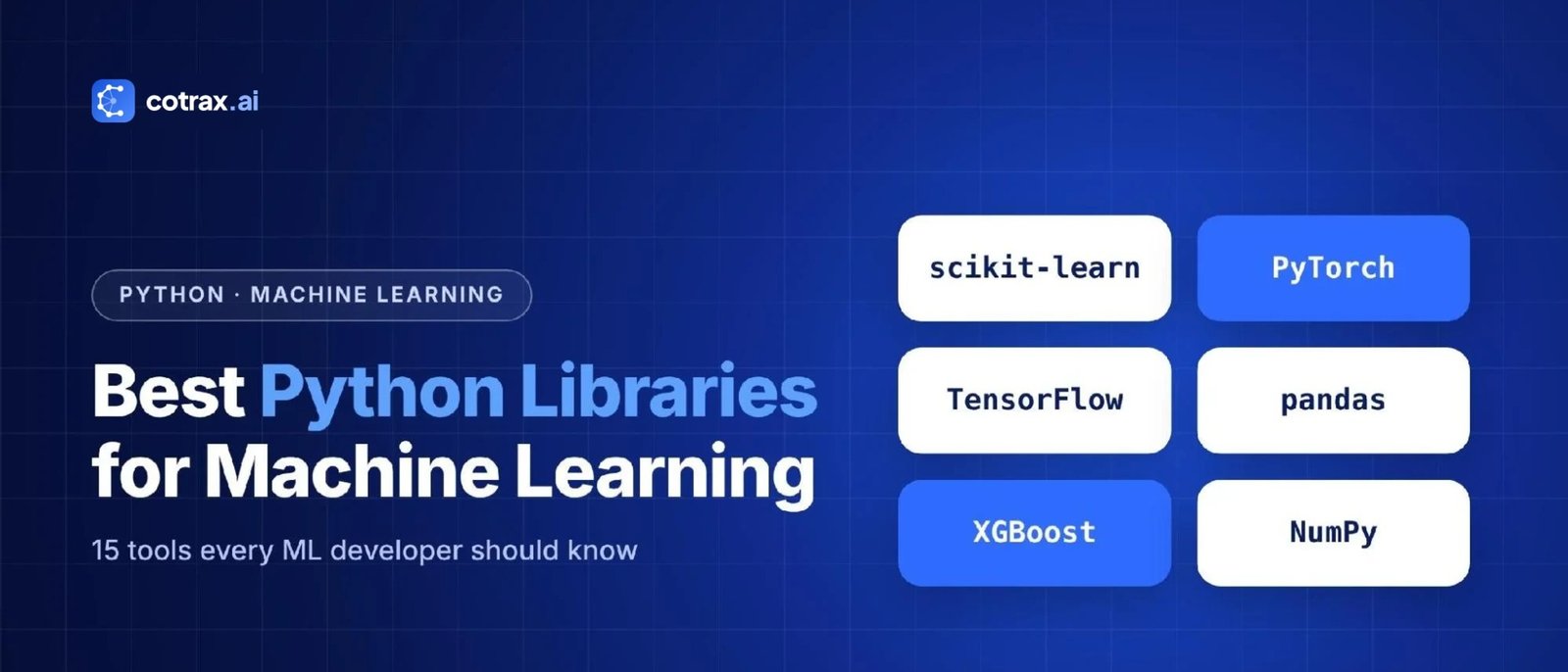
Python is the most popular language for machine learning, and the best Python libraries for machine learning are the reason why. In fact, with a few lines of code, you can clean data, train a model, test it and put it into production. But with hundreds of packages out there, where should you start?
For this reason, this guide lists the best Python libraries for machine learning, grouped by what they do. For each library, you’ll also see what it’s best for, its key strengths, its limits and a tiny code example where it helps. Whether you’re a beginner building your first model or a developer choosing a stack, you’ll know exactly which tools to learn.
Why Python Is the Top Language for Machine Learning
Python wasn’t built for machine learning. However, it became the default choice for several reasons, and the best Python libraries for machine learning are a big part of that.
- Easy to read: Python code looks close to plain English, so beginners can focus on ideas instead of syntax.
- Huge ecosystem: for example, there is a mature library for nearly every step of the ML workflow.
- Fast where it counts: because most heavy math runs in optimized C, C++ or CUDA code under the hood.
- Massive community: there are millions of tutorials, forum answers and open-source projects as well.
- Industry support: in addition, Meta, Google, Microsoft and many others build and maintain major Python ML tools.
Python won machine learning not because it’s the fastest language, but because it’s the friendliest one with the best toolbox.
cotrax.ai Editorial Team
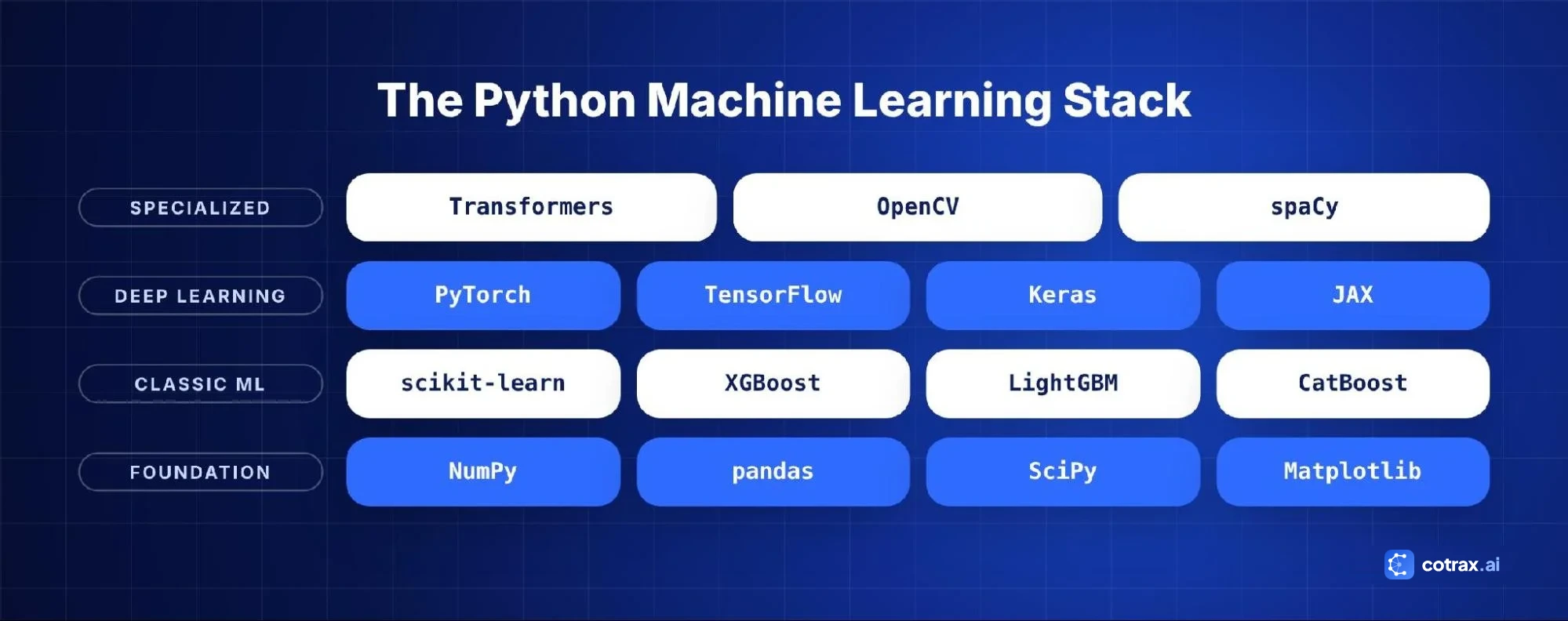
Quick Comparison: Best Python Libraries for Machine Learning
| Library | Best for | Skill level |
|---|---|---|
| NumPy | Fast numerical arrays and math | Beginner |
| pandas | Data cleaning and analysis | Beginner |
| scikit-learn | Classic machine learning | Beginner |
| PyTorch | Deep learning and research | Intermediate |
| TensorFlow | Deep learning in production | Intermediate |
| Keras | Simple deep learning API | Beginner–Intermediate |
| XGBoost | Gradient boosting on tabular data | Intermediate |
| LightGBM | Fast boosting on large datasets | Intermediate |
| CatBoost | Boosting with categorical data | Intermediate |
| Hugging Face Transformers | Pre-trained NLP, vision and audio models | Intermediate |
| JAX | High-performance research computing | Advanced |
| Matplotlib and Seaborn | Charts and data visualization | Beginner |
| SciPy | Scientific computing and statistics | Intermediate |
| statsmodels | Statistical models and time series | Intermediate |
| OpenCV | Computer vision and image processing | Intermediate |
Foundation Libraries: Data and Math
1. NumPy
First of all, NumPy is the base layer of scientific Python. It gives you the ndarray, a fast multi-dimensional array, plus tools for linear algebra, random numbers and math operations. In fact, almost every other library on this list, including pandas, scikit-learn and the deep learning frameworks, works with NumPy arrays.
Best for: numerical computing, matrix operations, preparing data for models.
Strengths: very fast, stable, well documented and used everywhere.
Limits: however, it runs on the CPU only and is not designed for automatic gradients.
import numpy as np
x = np.array([[1, 2], [3, 4]])
print(x.mean(), x.T @ x)
2. pandas
Next, pandas is the go-to library for working with tables of data. For example, its DataFrame lets you load CSV, Excel and SQL data, clean missing values, filter rows, group results and merge datasets. In fact, most ML projects spend more time in pandas than in any model library.
Best for: data cleaning, exploration and feature engineering.
Strengths: powerful and flexible, and it also has a huge community.
Limits: however, it can be slow or memory-hungry on very large datasets. For big data, look at Polars or Dask.
import pandas as pd
df = pd.read_csv("sales.csv").dropna()
print(df.groupby("region")["revenue"].sum())
3. SciPy
Similarly, SciPy builds on NumPy with tools for optimization, statistics, signal processing, sparse matrices and more. As a result, it’s often used behind the scenes by other ML libraries.
Best for: especially statistical tests, optimization problems and scientific workflows.
Classic Machine Learning Libraries
4. scikit-learn
If you only learn one ML library, make it scikit-learn. After all, it offers a clean, consistent API for classification, regression, clustering, dimensionality reduction, model selection and preprocessing. Also, every model follows the same fit() and predict() pattern, which makes it very easy to swap algorithms.
Best for: structured (tabular) data, beginners, quick baselines and production models that don’t need deep learning.
Strengths: excellent documentation, reliable algorithms, pipelines and cross-validation tools built in.
Limits: on the other hand, it is not built for deep learning or GPUs.
from sklearn.ensemble import RandomForestClassifier
from sklearn.model_selection import train_test_split
X_train, X_test, y_train, y_test = train_test_split(X, y, test_size=0.2)
model = RandomForestClassifier().fit(X_train, y_train)
print(model.score(X_test, y_test))
5. XGBoost
Next, XGBoost (Extreme Gradient Boosting) builds many small decision trees, each one fixing the mistakes of the last. Over time, it became famous for winning Kaggle competitions and is still one of the strongest options for tabular data.
Best for: credit scoring, churn prediction, sales forecasting and other structured data problems.
Strengths: high accuracy, handles missing values, supports GPUs and works with scikit-learn.
Limits: however, it has many settings to tune and is not suited to images or raw text.
6. LightGBM
Similarly, LightGBM, created by Microsoft, is another gradient boosting library. However, it grows trees in a smarter way that makes training very fast, especially on large datasets with many rows.
Best for: especially large tabular datasets where speed matters.
7. CatBoost
Likewise, CatBoost, developed by Yandex, is a gradient boosting library that handles categorical features (like city, product type or color) automatically, with less manual encoding. As a result, it often gives strong results with default settings.
Best for: especially datasets with many text-like categories.
8. statsmodels
In contrast, statsmodels focuses on classical statistics: linear models with detailed summaries, hypothesis tests and time-series models such as ARIMA. So it’s ideal when you need to explain results, rather than just predict them.
Best for: econometrics, forecasting and reports that need p-values and confidence intervals.
Building your first ML project?
Get the free cotrax Python ML starter checklist with the exact libraries and steps to follow.
Deep Learning Libraries
9. PyTorch
PyTorch, created at Meta and now governed by the PyTorch Foundation, is the most popular framework for deep learning research and is widely used in industry. Also, it feels like normal Python, uses dynamic computation graphs and makes debugging easy. In fact, many of today’s leading AI models were built with PyTorch.
Best for: neural networks, research, computer vision, NLP and custom models.
Strengths: intuitive, flexible, strong GPU support and a huge ecosystem (TorchVision, TorchAudio, PyTorch Lightning).
Limits: however, it needs more code than high-level tools for simple tasks.
import torch, torch.nn as nn
model = nn.Sequential(nn.Linear(10, 32), nn.ReLU(), nn.Linear(32, 1))
optimizer = torch.optim.Adam(model.parameters(), lr=0.001)
10. TensorFlow
On the other hand, TensorFlow, built by Google, is a full platform for building and deploying machine learning models. In particular, its tools for deployment are a major strength: LiteRT (formerly TensorFlow Lite) for mobile and edge devices, TensorFlow.js for browsers and TensorFlow Serving for servers.
Best for: production deep learning, mobile apps and large-scale deployment.
Strengths: mature tooling, TensorBoard for visual monitoring and strong support for TPUs.
Limits: however, it can feel heavier than PyTorch for research and experiments.
11. Keras
Meanwhile, Keras is a high-level API for building neural networks with very little code. Since Keras 3 can run on top of TensorFlow, PyTorch or JAX, so you can write one model and choose your backend.
Best for: especially beginners learning deep learning and fast prototypes.
import keras
model = keras.Sequential([keras.layers.Dense(32, activation="relu"), keras.layers.Dense(1)])
model.compile(optimizer="adam", loss="mse")
12. JAX
Meanwhile, JAX, from Google, combines a NumPy-like API with automatic differentiation and just-in-time compilation. As a result, it runs very fast on GPUs and TPUs and is popular in advanced research. In addition, libraries like Flax build neural networks on top of it.
Best for: especially researchers and teams training large models who need maximum speed.
Learn one deep learning framework well. The ideas transfer, and switching later is easier than you think.
cotrax.ai Editorial Team
Specialized Libraries
13. Hugging Face Transformers
First, Hugging Face Transformers gives you easy access to thousands of pre-trained models for text, images and audio. Instead of training a huge model from scratch, you can download one and fine-tune it on your own data. To see where deep learning fits in the bigger picture, read our guide to machine learning vs AI vs deep learning.
Best for: text classification, summarization, translation, question answering, embeddings and speech.
from transformers import pipeline
classifier = pipeline("sentiment-analysis")
print(classifier("cotrax makes AI simple!"))
14. OpenCV
Next, OpenCV is the classic library for computer vision. For example, it handles image and video loading, resizing, filtering, face detection, object tracking and camera calibration. Also, it’s often used alongside deep learning models to prepare images or process live video.
Best for: particularly image processing and real-time vision apps.
15. Matplotlib and Seaborn
After all, you can’t improve what you can’t see. Matplotlib is the standard plotting library in Python. In addition, Seaborn builds on it with clean statistical charts in one line of code. Then use them to explore data, check model errors and present results.
Best for: data exploration, model evaluation charts and reports.
What About AI Coding Assistants?
Today, AI coding assistants such as GitHub Copilot, Cursor and Claude can now write much of the boilerplate code for these libraries. For instance, they are great for drafting a pandas cleaning script or a PyTorch training loop. However, you still need to understand what each library does, so you can spot mistakes, choose the right model and check the results. In short, treat the assistant as a fast junior helper, not as a replacement for knowing your tools.
Honorable Mentions
- Polars: a very fast DataFrame library, great for large datasets.
- spaCy and NLTK: classic tools for natural language processing.
- Optuna: automatic hyperparameter tuning.
- MLflow: experiment tracking and model management.
- PyTorch Lightning: cleaner, more organized PyTorch training code.
- SHAP: explains why a model made each prediction.
- Prophet: simple time-series forecasting.
scikit-learn vs PyTorch vs TensorFlow: Which Should You Use?
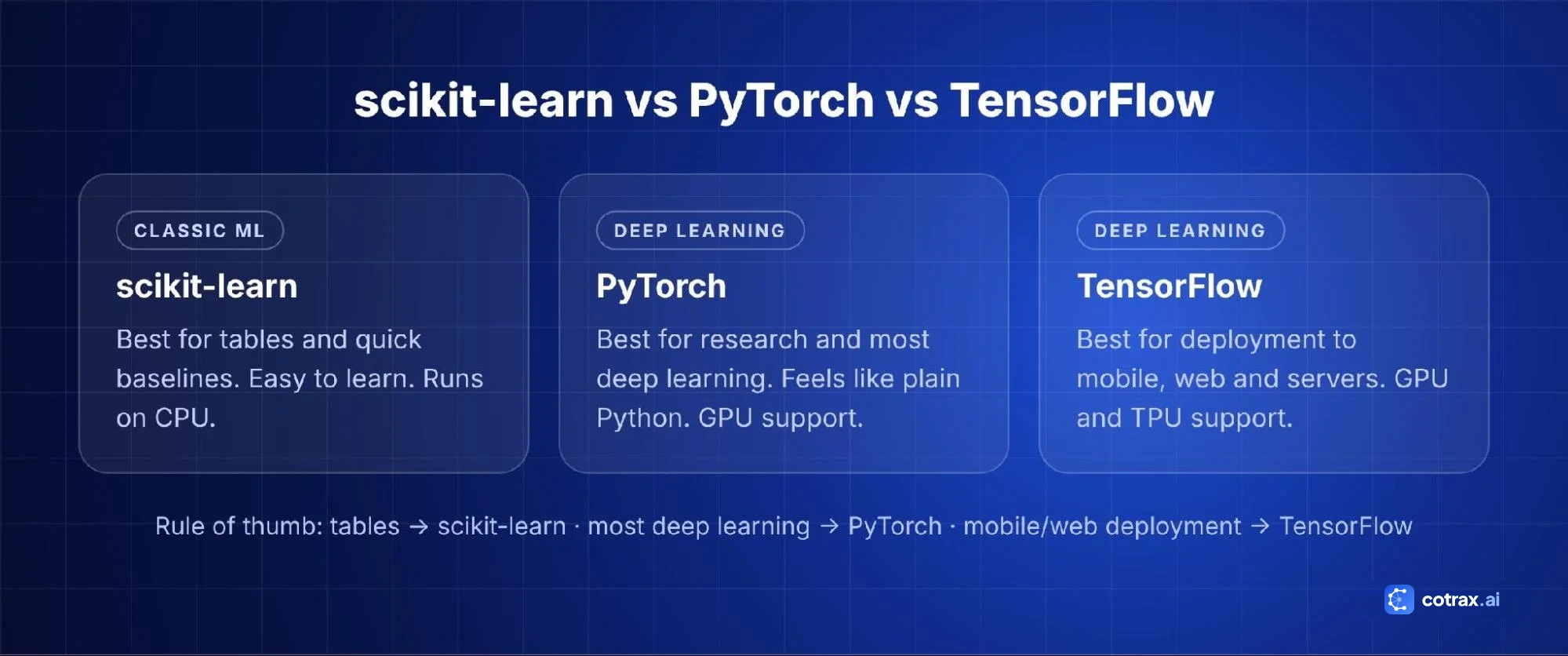
| Factor | scikit-learn | PyTorch | TensorFlow |
|---|---|---|---|
| Main use | Classic ML | Deep learning | Deep learning |
| Best data type | Tables | Images, text, audio | Images, text, audio |
| Learning curve | Easy | Moderate | Moderate |
| GPU support | No (CPU) | Yes | Yes, plus TPUs |
| Research popularity | Medium | Very high | Medium |
| Deployment tools | Simple (pickle, ONNX) | TorchServe, ONNX, ExecuTorch | Serving, LiteRT, TensorFlow.js |
Simple rule: use scikit-learn for spreadsheet-style data, PyTorch for most deep learning projects and TensorFlow when you need its deployment tools, such as mobile or browser apps.
How These Libraries Work Together in a Real Project
In practice, you rarely use just one of the best Python libraries for machine learning on its own. For example, here is how a typical customer churn project might combine them:
- pandas loads customer data from CSV files and a SQL database, then cleans missing values and merges tables.
- NumPy handles fast numerical operations behind the scenes, such as creating ratios and scaling values.
- Matplotlib and Seaborn show which customers churn most, by plan, region and tenure.
- scikit-learn builds a pipeline for preprocessing and a quick logistic regression baseline.
- XGBoost or LightGBM trains a stronger model, and Optuna tunes its settings.
- SHAP explains which factors drive each prediction, so the business team trusts the results.
- MLflow tracks experiments, and the final model is served through a simple API.
Later, if the same company wants to analyze support emails, it might add Hugging Face Transformers for text classification and PyTorch to fine-tune the model. That is, in fact, the real strength of Python: each library does one job well, and they all fit together.
Tips for Installing and Managing Python ML Libraries
- Use a fresh environment for each project so library versions don’t clash.
- Install GPU versions carefully. For example, PyTorch and TensorFlow have specific install commands for CUDA. Follow the official install pages.
- Start in notebooks, then move to scripts. Jupyter or Google Colab is great for exploring, but production code belongs in tested Python files.
- Read the official docs. For example, scikit-learn, PyTorch and Hugging Face all have excellent beginner tutorials.
- Update on purpose. Upgrade libraries between projects, not in the middle of one, and re-run your tests after every upgrade.
How to Choose the Best Python Libraries for Machine Learning
- Look at your data. For instance, tables point to scikit-learn and boosting libraries. In contrast, images, audio and text point to PyTorch, TensorFlow or Hugging Face.
- Check your team’s skills. For example, beginners should start with pandas, scikit-learn and Keras.
- Think about deployment. For example, mobile and web apps may favor TensorFlow or ONNX exports.
- Consider dataset size. Similarly, very large data may need LightGBM, Polars or GPU tools.
- Prefer pre-trained models. For language and vision, fine-tuning a Hugging Face model usually beats training from scratch.
- Check community and docs. After all, popular libraries are easier to learn, debug and hire for.
A Beginner-Friendly Learning Path
Before you start, make sure you understand the main types of machine learning, because each library is built for different kinds of problems.
- Weeks 1–2: Python basics, NumPy and pandas.
- Weeks 3–4: Matplotlib, Seaborn and data exploration.
- Weeks 5–6: scikit-learn: regression, classification and evaluation.
- Weeks 7–8: XGBoost or LightGBM on a real dataset.
- Weeks 9–12: PyTorch or Keras, then fine-tune a Hugging Face model.
Finally, build a small project at each step. A real project teaches more than ten tutorials.
Need help choosing your ML stack?
The cotrax team can review your use case and suggest the right libraries and tools.
Common Mistakes When Using Python ML Libraries
- Jumping into deep learning too early: a scikit-learn baseline often performs well and is a must for comparison.
- Data leakage: scaling or encoding data before splitting it into train and test sets gives fake high scores. Use scikit-learn pipelines.
- Ignoring versions: pin library versions in a requirements file so your project runs the same everywhere.
- Not using virtual environments: keep each project’s packages separate with venv, conda or uv.
- Skipping visualization: always plot your data before modeling.
Great models start with clean data and a simple baseline. Fancy libraries come second.
cotrax.ai Editorial Team
Conclusion
The best Python libraries for machine learning depend on your data and goals. Start with NumPy and pandas to handle data, use scikit-learn and gradient boosting libraries for structured data, and move to PyTorch, TensorFlow or Keras for deep learning. Also, for language and vision tasks, Hugging Face Transformers saves months of work with ready-made models.
However, you don’t need to master all 15 libraries at once. Instead, learn the foundations, build small projects and then add new tools as your projects grow.
Start building with cotrax
At cotrax, we help you learn and use AI the practical way. From your first Python model to full AI agents, our guides and team make machine learning simple.
Sources
- scikit-learn documentation
- PyTorch official site
- TensorFlow official site
- Keras documentation
- XGBoost documentation
- Hugging Face Transformers documentation
Frequently asked questions
Which Python library is best for machine learning beginners?
Is PyTorch better than TensorFlow?
Do I need a GPU for machine learning in Python?
What is the best Python library for NLP?
Is scikit-learn still worth learning in 2026?
Want more guides like this?
Get clear, practical AI explainers from Cotrax AI in your inbox every Friday.